Wheelers

Instructions
Flash content is getting blocked in the latest versions of browsers. To enable it in Google Chrome, first open your browser and type chrome://settings/content/flash in the address bar or go there from menu "Settings / Privacy and security / Site settings / Flash". On a flash setting page, set toggle to Ask first (recommended). Now, with Flash enabled, whenever you visit a webpage with Flash content, you’ll need to click on the Flash player for it to start.

Wheelers

Game instructions for Wheelers :

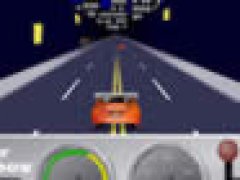
Super bike racing on 4 different tracks based in Scotland, Florida, Switzerland and Mexico. Instructions: Strap that helmet on for the thunderous hum of superbike racing. This game gives you a tire-burning look at the raw power of motorcycle racing. Lean into the tight curves of these notorious courses and pinch those handle bars because at these speeds, laying a superbike down just might hurt.

Watch out! dont't go off course as it will slow you down or you will lose time. Try to complete the race in the fastest time possible to score the maximum points and enter the high score list... Good luck! Use the Arrow keys to control the bike and don't forget to fuel. You have to finish first on every track in order to progress onto the next level and also to unlock exciting new race tracks... Good Luck and start your engines.


The simplest way to play this Flash game is to install the Ruffle emulator extension in your browser. Here are the links for Chrome and Firefox.

If you want to play this game offline and without any browsers, then download .swf game file and use any Flash Player that runs .swf files.

For Windows users, official Adobe Flash Player works with most of the games.

Share

Comments

Add Comment

Your email address will not be published. Required fields are marked *

New: Posting a message doesn't reload the page